


Blue Mountain Ecards
4.61.09K Reviews
App Specs
- Version
- 1.3.0
- Updated On
- License
- Free
- Downloads
- 100,000+
- Developer
- AGCM, Inc
- Categories
- Lifestyle
- Platform
- Android
Screenshots
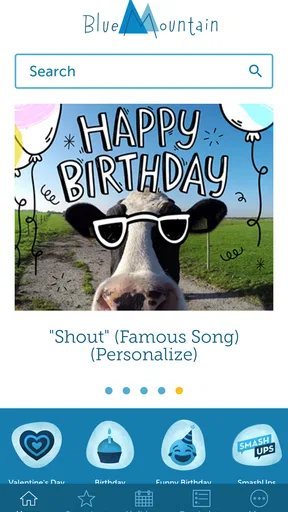
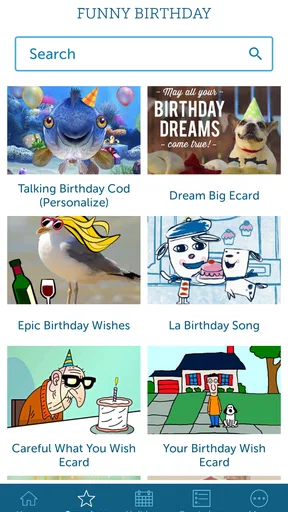
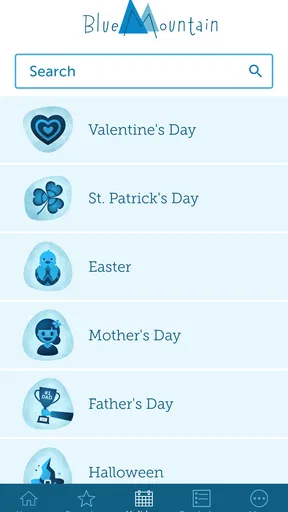
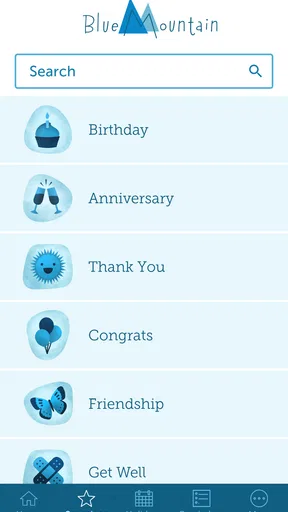
 Analysis by AppCompare
Sending a card can feel more personal than dropping a quick message into a chat, but only if the process stays simple and the design feels appropriate for the occasion. That is where Blue Mountain Ecards aims to fit: a lifestyle app for sending digital greetings for birthdays, holidays, and other meaningful moments. I found its appeal less in replacing every kind of personal message and more in giving me a ready-made, visually polished way to acknowledge someone when a plain text feels too bare.
The app comes from AGCM, Inc and is free to download, with optional purchases priced from $6.99 to $35.99 per item. It is rated for Everyone, so its general purpose is easy to understand for families and casual users. Its average rating is 4.6, based on roughly six thousand ratings, and the app has passed one hundred thousand installs. Those figures suggest a healthy level of interest, although popularity alone does not tell me whether its approach to privacy, account handling, or paid content will suit every user.
My review focuses on that practical question: does this make sending an ecard easier without creating unnecessary friction or uncertainty? I also looked at the moments when a greeting app may handle personal information, what choices a user should inspect before sending anything, and where a traditional card, a messaging app, or another digital service might be a better fit.
What the app is really useful for
The strongest use case is the occasion that matters enough to acknowledge but does not justify a long creative project. A birthday greeting for a distant relative, a holiday note for several contacts, or a quick congratulations message can all benefit from a card format. Instead of composing a message from an empty screen, I can begin with the visual tone of a greeting and then decide how much of my own wording to add.
That distinction matters. A card app is not automatically more personal than a text message. The personal value comes from choosing something that matches the recipient and adding a message that sounds like me. If I simply select the first attractive design and send it unchanged, the result can feel routine. If I use the design as a framework and write a specific note, it becomes more thoughtful without taking much time.
Blue Mountain Ecards is particularly suitable for people who like the idea of sending cards but do not want to store physical cards, buy stamps, or remember where they left a spare envelope. It also makes sense for users who regularly send greetings across distance. A digital card avoids the delay and physical handling involved in posting paper, which can be useful when I remember an important date late in the day.
It is less convincing for someone who already has a comfortable routine in a messaging app. A personal photograph, a voice note, or a short video may communicate more warmth than a prepared ecard. Likewise, if the recipient values handwritten stationery or keeps cards as mementos, a digital greeting cannot reproduce that physical experience. The app is best viewed as a convenient middle ground rather than a universal replacement for every kind of greeting.
Worth Reading Before You Choose

Flipboard Shows What News Apps Must Do Beyond the Feed

Switching to Android Auto Means Rethinking Your Driving Routine

Google Calendar Makes a Crowded Week Easier to Manage

Ludo King Makes the Most of the Minutes Between Plans

Baby Panda World Brings Quick Play to Modern Phones, but Its Game Library Feels Busy

ESPN’s Live Game View Makes Following Close Games Easier
Choosing the right moment to use it
I would use it when the recipient appreciates a clear occasion-based gesture: a birthday, seasonal celebration, thank-you message, or congratulations. The format gives the message a little more ceremony than a normal chat bubble. In a busy week, that structure is useful because it reduces the effort required to turn a good intention into something I can actually send.
A realistic example is a family birthday. I may remember the date while commuting, have only a few minutes, and want to send something nicer than “Happy birthday” in a messaging thread. I can choose a birthday-oriented card, write a short memory or personal wish, and send it before the day disappears. The important practical step is to reread the recipient details and message before confirming. Convenience should not turn into an accidental greeting sent to the wrong person.
For group occasions, I would be more careful. A single card sent to several people can save time, but the message may need to be neutral enough for everyone receiving it. If the greeting is meant for one close friend, a more specific note usually has greater emotional impact. The app can provide the presentation, but it cannot decide how intimate, formal, or humorous the message should be.
How it compares with ordinary alternatives
Compared with a standard messaging app, an ecard service offers a more deliberate presentation. Messaging apps are faster for back-and-forth conversation and better when I want replies immediately. They are also more flexible for photos, live reactions, and ongoing group discussions. Blue Mountain Ecards makes more sense when the card itself is the event rather than the beginning of a conversation.
Compared with buying a physical card, the digital route is quicker and avoids paper, postage, and a trip to a shop. The trade-off is that the recipient does not receive an object to keep. A physical card also gives me more control over handwriting and presentation, while a digital service depends on the recipient being comfortable opening and viewing an electronic greeting.
Compared with designing a card from scratch, this app should appeal to people who value speed over complete creative control. A design tool may offer more freedom with photographs, typography, and layout, but it also asks me to make more decisions. Blue Mountain Ecards is more practical when I want a finished-looking result without spending time learning a design workflow.
Trust, controls, and the moments that deserve care
I use this section to think through the choices that matter most before a greeting leaves my phone: who will receive it, what I’m comfortable sharing, and whether a purchase is intentional. A quick pause at those points can make the experience feel more considered rather than merely convenient. From there, it’s worth looking at the small habits that make sending a card smoother.
What I would check before sending
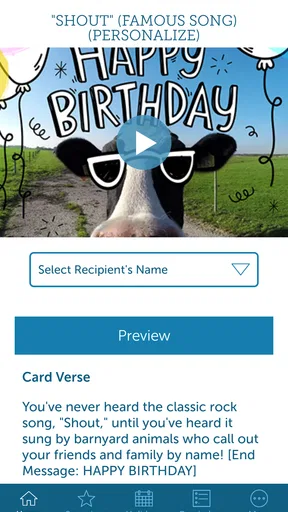
Trust in a greeting app is not only about whether the cards look good. It is also about whether I understand what I am doing at each important step. Before sending, I would look for clear recipient fields, an obvious preview, and a final confirmation that lets me catch spelling mistakes or an incorrect address. These are small controls, but they matter because a greeting often contains personal words that cannot be taken back emotionally once delivered.
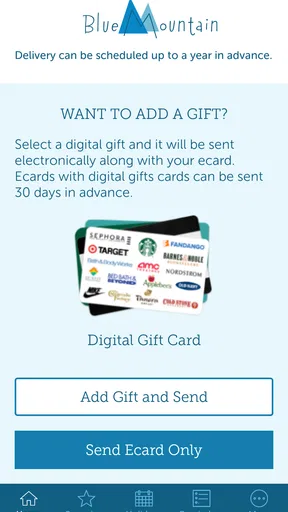
I would also pay attention to whether the app distinguishes free selections from paid items before I commit to a design. The free download is helpful for trying the service, but optional in-app purchases mean that not every appealing choice should be assumed to be included. A transparent purchase screen should show what I am buying and when payment is about to happen. If that distinction is not immediately clear on my device, I would stop and review the screen rather than treating the card as free.
The current version is 1.3.0, and it supports devices running operating system version 9 or later. That makes compatibility a practical check before installation, especially on an older phone. I would not assume that an app’s general age rating says anything about whether it fits my personal privacy preferences; an Everyone rating describes audience suitability, not the full data-handling experience.
Data-sensitive moments in a greeting workflow
Sending a card naturally involves information about another person. Depending on the workflow, that may include a name, an email address, a phone contact, a message, or the timing of delivery. I treat those details as sensitive even when the message itself is harmless. A birthday greeting can still reveal a relationship, an important date, or private wording that I would not want circulated beyond the intended recipient.
For that reason, I would avoid granting broad access to my contacts unless the app clearly explains why it is needed and gives me a practical alternative. Manually entering one recipient can take longer, but it gives me more control over which contact information is used. I would also avoid copying an entire address book into a service merely to send one card. Selective sharing is a sensible habit for any app that helps communicate with other people.
Images deserve the same care. If I decide to personalize a greeting with a photograph, I would choose one that does not expose someone else’s private location, workplace, school, or identifying details without permission. A family picture may be appropriate for a close relative but unsuitable for a wider group. The app may make sending easy; I still remain responsible for the material I attach and the people who receive it.
I would read the app’s current privacy information and the wording shown in permission prompts before proceeding. I would not treat a polished design or a strong rating as proof of a particular data practice. The safest approach is to make decisions from the controls and explanations visible on my own device, especially after an update, because permissions and account screens can change over time.
Account choices and user agency
A good greeting workflow should let me decide whether I want to create an account, what information to provide, and how to manage cards after sending. When an app presents an account screen, I look for a clear explanation of its purpose rather than entering details automatically. If I only need to send an occasional card, I prefer not to provide more personal information than the task requires.
I also consider what happens if I change my mind. Before sending, I would check whether the app offers a way to edit the recipient, revise the message, cancel a scheduled delivery, or remove saved information. I would not assume that any of these actions are available simply because they are useful. The important point is to identify the available controls before relying on the service for a time-sensitive greeting.
Payment control is another part of user agency. Since individual purchases may range from $6.99 to $35.99, I would review the purchase confirmation carefully and use the platform’s purchase authentication settings. I would not hand my phone to a child with an unlocked purchase flow, even though the app’s content rating is suitable for Everyone. Age suitability and spending protection are separate concerns.
Notifications can also affect the experience. If the app asks to send reminders or alerts, I would decide whether those prompts are genuinely useful. A reminder about an upcoming occasion could help me avoid forgetting, but too many notifications can make a simple lifestyle app feel intrusive. I prefer enabling only the alerts that solve a real problem for me, then revisiting the choice if the app becomes noisy.
Practical ways to get more from the app
My first tip is to draft the personal part before browsing designs. Looking through attractive cards can consume the time I intended to save, while a prepared sentence gives the selection a clear purpose. I would write the recipient’s name and one specific detail first, then choose a card whose mood supports that message. This reverses the usual temptation to let the artwork dictate the sentiment.
My second tip is to use a two-stage review. First, I would check tone: does the card sound affectionate, formal, playful, or seasonal in a way that suits the person? Then I would check logistics: recipient, spelling, delivery details, and any purchase prompt. Separating emotional editing from practical checking reduces the chance that a visually attractive card hides an awkward phrase or a simple addressing mistake.
My third tip is to keep paid choices in perspective. A more elaborate design is not necessarily a better greeting. If a free option supports a thoughtful message, it may be the better choice, particularly when I am sending several cards. I would reserve purchases for cases where the design genuinely fits the recipient, not simply because it appears more prominent in the browsing experience.
A fourth useful habit is to send a test greeting to myself when I am unfamiliar with the workflow and the occasion is important. That can reveal how the card appears on the receiving side and whether the message is easy to read. I would not use this as a substitute for checking the app’s own delivery controls, but it can prevent surprises caused by formatting or an unfamiliar presentation.
Where the experience may fall short
The biggest limitation of any prepared-card service is sameness. Even a well-designed greeting can feel generic if I do not add a personal line. Someone who enjoys making collages, drawing, or carefully formatting a custom card may find the available structure restrictive compared with a dedicated design app. Someone who wants an immediate conversation may also prefer a messaging service, where the recipient can respond in the same place.
There is also a social trade-off. Digital greetings depend on the recipient noticing and opening them, and not everyone treats electronic cards as meaningful. If the occasion is especially important or the person values tangible keepsakes, I would choose a physical card or combine the digital greeting with a personal call. The app is convenient, but convenience should not override what the recipient actually appreciates.
Cost can become another point of friction for frequent senders. Although the app itself is free to download, optional item purchases can add up when cards are sent often. I would decide on a spending limit before browsing and keep track of whether I am choosing paid designs intentionally. Users looking for a completely free, unlimited experience may be happier with a messaging app or a service whose pricing model is more predictable for their particular routine.
Finally, trust requires ongoing attention rather than a one-time decision. I would revisit permissions, account settings, notification choices, and purchase controls after meaningful updates. I would also avoid assuming that the app’s rating guarantees a smooth experience for my exact device or sending habits. The rating of 4.6 from about six thousand ratings is encouraging, but my own comfort with the visible choices matters more than a number.
My cautious verdict
I see Blue Mountain Ecards as a useful convenience for people who want a greeting to feel more intentional than a plain message without managing paper cards. Its lifestyle focus is clear, the free entry point makes it easy to consider, and its card format can turn a forgotten occasion into a manageable task. The best results come when I use the artwork as a starting point and add a message that could not have been sent to just anyone.
I would recommend trying it for occasional birthdays, holidays, and congratulations, while checking recipient details and purchase prompts carefully. I would be more cautious about using it for highly private messages, broad contact access, or occasions where delivery certainty and physical keepsakes are essential. In those cases, a phone call, a trusted messaging app, or a paper card may be the better choice.
Overall, the app earns consideration not because a digital card automatically creates closeness, but because it lowers the effort needed to make a considerate gesture. My deciding rule is simple: use it when its convenience supports a personal message, and skip it when the recipient needs privacy, conversation, or something tangible. That balance gives the app a sensible place in a modern greeting routine without asking me to treat it as the answer to every social occasion.
Pros
- Wide selection of scenic mountain-themed digital cards
- Simple interface makes browsing and choosing cards quick
- Useful for birthdays
- holidays
- and everyday greetings
- Digital delivery is faster than sending a physical card
- Eco-friendly alternative to paper greeting cards
Cons
- Some designs may feel dated compared with newer card platforms
- Customization options can be limited for certain card designs
- A stable internet connection is needed to browse and send cards
- Recipient delivery may depend on email filters or spam folders
- The app may offer fewer features than larger ecard services
FAQs for Blue Mountain Ecards
What is Blue Mountain Ecards?
Blue Mountain Ecards is a digital greeting-card service that lets you send animated and interactive cards for occasions such as birthdays, anniversaries, holidays, thank-you messages, and everyday greetings. Instead of mailing a physical card, you choose a design, personalize the message, and share it electronically with the recipient through the available delivery options.
Is Blue Mountain Ecards free to use?
Blue Mountain Ecards may offer a selection of free cards, while many premium designs and features require a subscription or payment. Before sending a card, check the price, membership terms, and any trial conditions shown in the app or on the service’s checkout page. Availability and pricing can vary by region and may change over time.
How do I send an ecard with Blue Mountain?
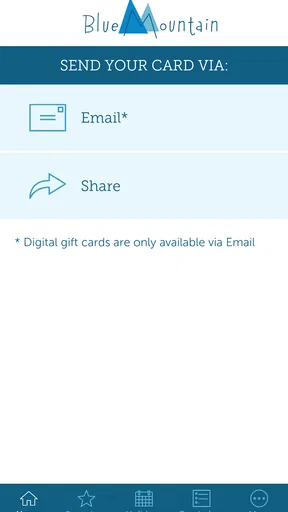
To send an ecard, select a card category and design, add your own message, and enter the recipient’s information or choose a supported sharing method. Depending on the card, you may also be able to schedule delivery for a future date. Review the preview carefully before sending, especially the recipient’s email address and the selected delivery date.
Can I personalize Blue Mountain Ecards?
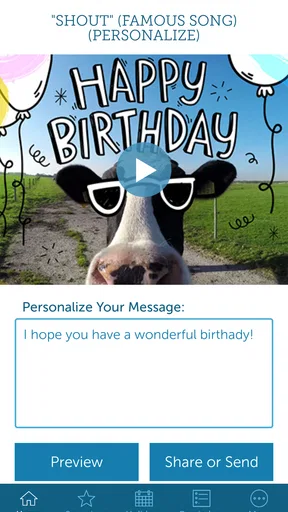
Most Blue Mountain Ecards can be personalized with a written message, recipient details, and sometimes additional options such as music, animations, photos, or scheduled delivery. The exact customization tools depend on the individual card. Some advanced features may be limited to members, so it is worth checking the card details before completing your purchase or sending it.
Do recipients need the Blue Mountain Ecards app to view a card?
Recipients generally do not need to install the app to open an ecard, because cards are commonly delivered through a link or email notification. However, they may need an internet connection and a compatible web browser or device. If a card includes interactive content, older browsers, strict email filters, or privacy settings could affect how it displays.


